How to Build a WhatsApp Chatbot Without Coding
Visual Automation Made Simple
Step-by-step guide to creating powerful WhatsApp chatbots using NOTYFY PLUS's visual builder. No technical skills needed.
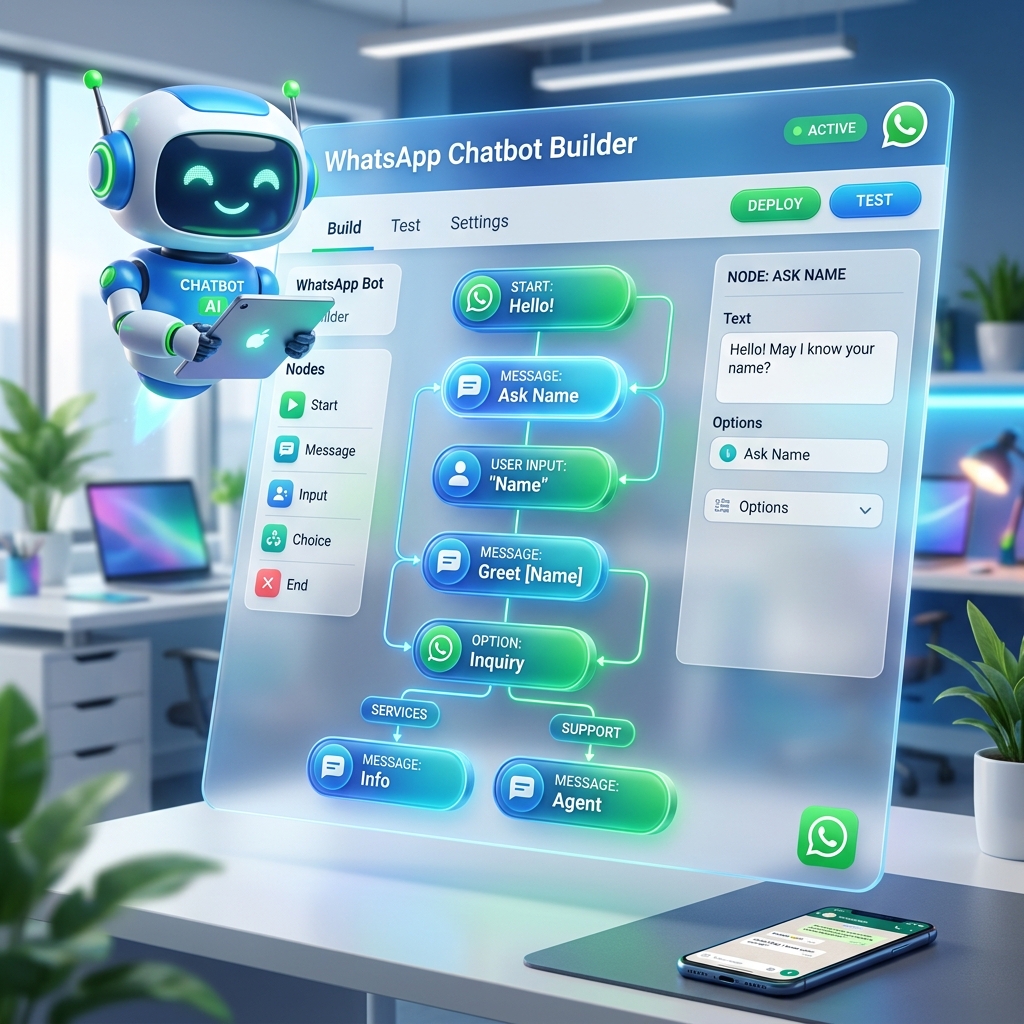
Step-by-step guide to creating powerful WhatsApp chatbots using NOTYFY PLUS's visual builder. No technical skills needed.
In today's fast-paced digital world, businesses need to be available for their customers 24/7. A WhatsApp chatbot is the perfect solution to handle common queries, qualify leads, and provide instant support without the need for constant human intervention. The best part? You don't need to know how to code to build one.
Before you start building, decide what you want your chatbot to achieve. Is it for lead generation? Customer support? Order tracking? Having a clear goal will help you design a more effective conversation flow.
Draw a simple flowchart of how you want the conversation to proceed. Think about the questions your customers usually ask and the best ways to guide them to the information they need.
Log in to your NOTYFY PLUS dashboard and open the Chatbot Builder. Use our intuitive drag-and-drop interface to create your bot's logic. You can add text messages, buttons, images, and even integrate with external data sources.
Once you've built your bot, test it thoroughly. Send messages to it from your own phone and make sure every flow works as expected. Don't be afraid to make adjustments to improve the user experience.
When you're happy with your bot, launch it! Monitor its performance using the analytics tools in NOTYFY PLUS. Pay attention to where users drop off and use that data to refine and optimize your bot over time.
Everything you need to know about NOTYFY PLUS, WhatsApp Business API, and automated growth.
The WhatsApp Business API is an enterprise solution by Meta designed for businesses to automate messaging, broadcast to large lists, integrate AI chatbots, and manage customer interactions at scale.
NOTYFY PLUS offers an all-in-one platform combining official WhatsApp API, Instagram DM automation, and Facebook Messenger chatbots with no coding required.
You can use your existing mobile number or a new virtual business number. We assist with registration and Meta verification during onboarding.
Simply sign up for an account, choose your plan, and follow our guided onboarding to connect your Facebook Business Manager and launch your first campaign in minutes.
WhatsApp charges standard Meta conversation fees based on destination country and conversation type (marketing, utility, service, authentication). Our platform subscription provides access to all tools and features.
Build your first WhatsApp chatbot today with NOTYFY PLUS.